Billing modules
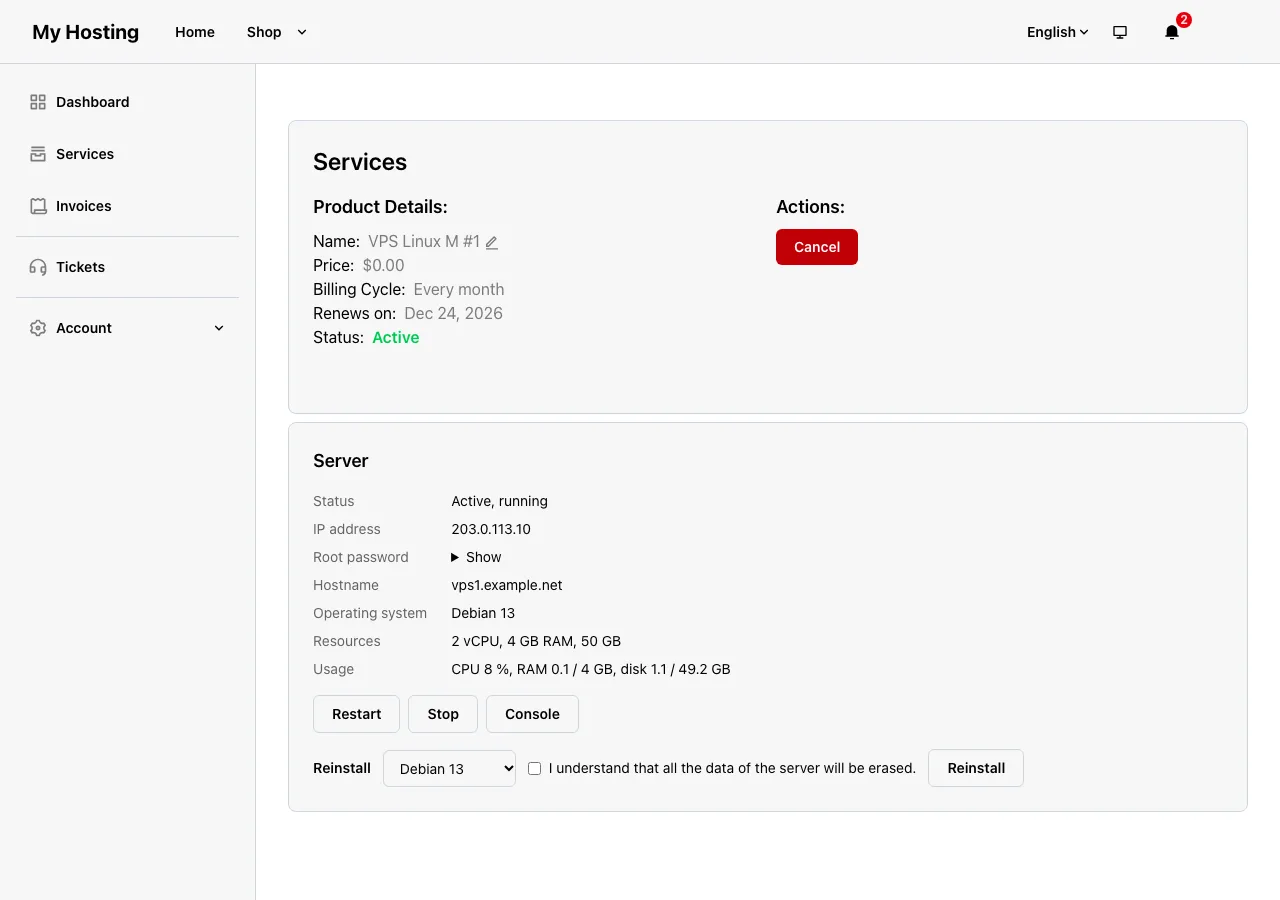
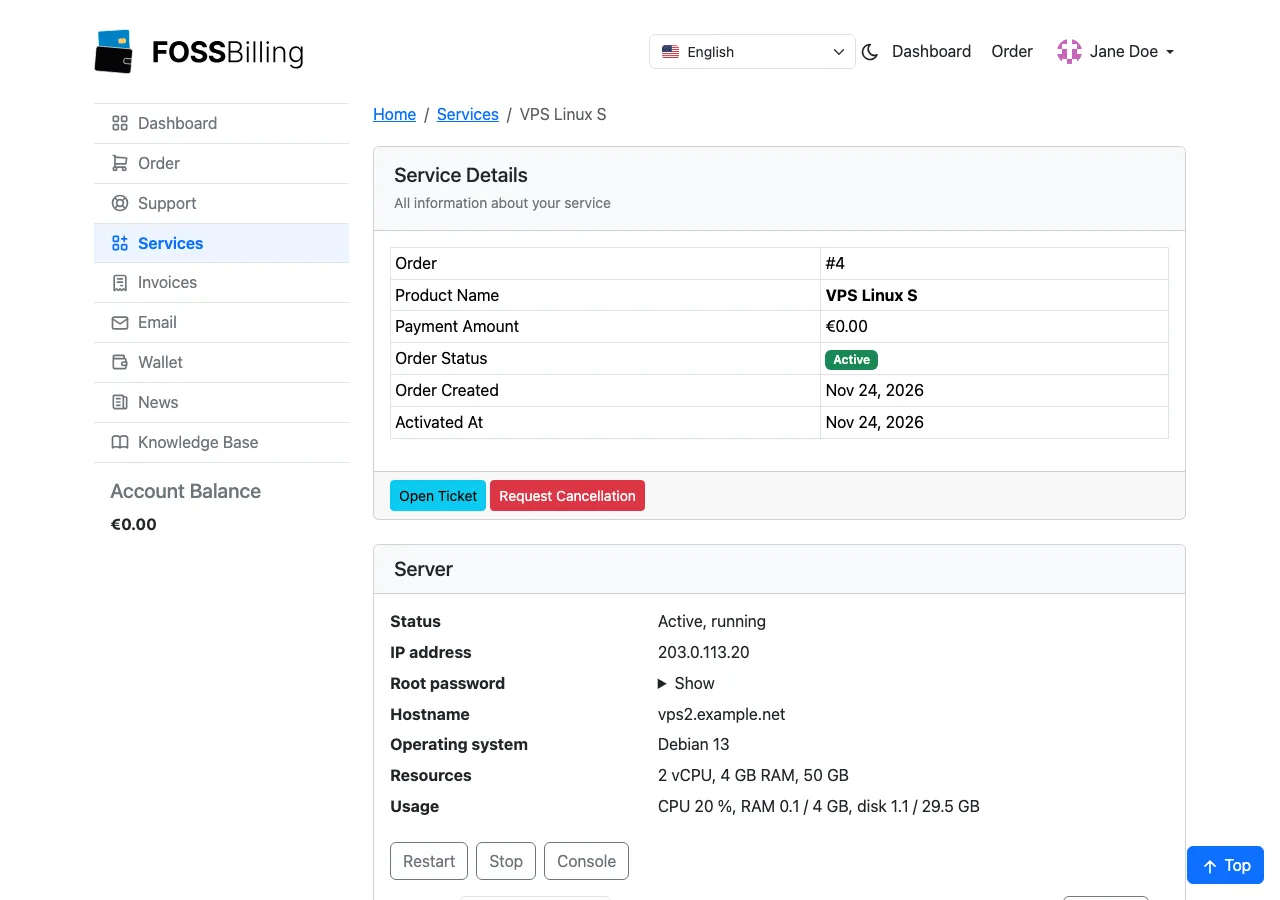
Resell our VPS from your own billing software. When your client orders, the module creates the VPS at VPS Minute and pays it from your balance; your client manages it from your client area.
- VPS delivered in about two minutes, with its IP address and root password
- Start, stop, restart, web console and reinstallation from your client area
- Suspension, termination and change of offer follow your billing software
WHMCS
- Version
- 1.1.2 (26 KB)
- License
- MIT, free
- SHA-256
c0fc19e2ef029546fe85952b1d464fa5bf20d198af1b4d5a9708d4a00fdd0f7c
Check the fingerprint before installing: shasum -a 256 on macOS, sha256sum on Linux.
Install in 5 steps
- Download the archive, check its SHA-256 fingerprint, then unzip it.
- Copy the
modules/servers/vpsminutefolder into themodules/servers/folder of your WHMCS. - In your VPS Minute client area, create an API key with the Read, Ordering, Power and Reinstall rights, limited to the IP address of your server.
- In WHMCS, add a VPS Minute server (hostname
panel.vps-minute.com, your key as the password), click Test Connection, then put it in a server group. - Create a product and choose the VPS Minute offer, the default system, the location and the period paid to VPS Minute.
Paymenter
- Version
- 1.1.2 (22 KB)
- License
- MIT, free
- SHA-256
ff30f0754d7a9ee9bdf72ab95aea544018bbb7f3f45679efb99b9e58cb93c739
Check the fingerprint before installing: shasum -a 256 on macOS, sha256sum on Linux.
Install in 5 steps
- Download the archive, check its SHA-256 fingerprint, then unzip it.
- Copy the
extensions/Servers/VpsMinutefolder into theextensions/Servers/folder of your Paymenter. - In your VPS Minute client area, create an API key with the Read, Ordering, Power and Reinstall rights, limited to the IP address of your server.
- In the Paymenter admin, Extensions > Servers, add a VPS Minute server with your key: saving it checks the key and its rights.
- Create a product and choose the VPS Minute offer, the default system, the location and the period paid to VPS Minute.
FOSSBilling
- Version
- 1.1.2 (29 KB)
- License
- MIT, free
- SHA-256
43fd17e338ba96c5a68a09abe8a4f8f176165e2699dbb43bbe6633ddc3c9ca6b
Check the fingerprint before installing: shasum -a 256 on macOS, sha256sum on Linux.
Install in 5 steps
- Download the archive, check its SHA-256 fingerprint, then unzip it.
- Copy the
src/modules/Servicevpsminutefolder into themodules/folder of your FOSSBilling. - In your VPS Minute client area, create an API key with the Read, Ordering, Power and Reinstall rights, limited to the IP address of your server.
- In the FOSSBilling admin, Extensions, activate VPS Minute, paste your key and click Test the key.
- Create a product and choose the VPS Minute offer, the default system, the location and the period paid to VPS Minute.
Another billing software?
Everything the modules do goes through our public REST API, documented with examples: order paid from your balance, power, console, reinstallation, change of offer.

Your VPS is ready in one minute
Pick a plan, pay by card or SEPA, get your credentials.